1Usage
1.1First Pie
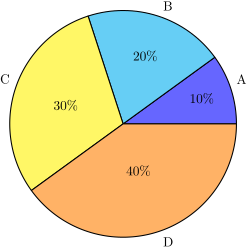
\pie is the only command that provided by pgf-pie. The argument is a list of number and text combination in the formate of number/text, i.e. 10/A, 20/B, 30/C, 40/D. The result is shown in figure 1.
1.2Position, Rotation, Size
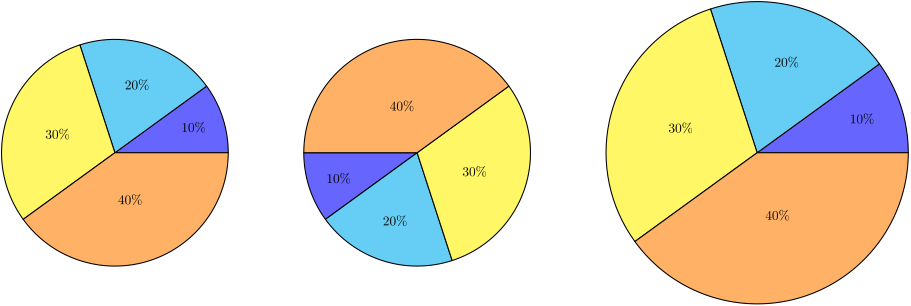
The center of chart can be set by pos, default is {0,0}. The chart can be rotated by setting rotate (in degrees). The size of chart can be set by radius, default is 3.
\begin{tikzpicture}

  \pie{10/, 20/, 30/, 40/}


  \pie[pos={8,0}, rotate=180]{10/, 20/, 30/, 40/}


  \pie[pos={17,0}, radius=4]{10/, 20/, 30/, 40/}

\end{tikzpicture}
1.3Color
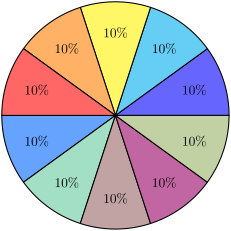
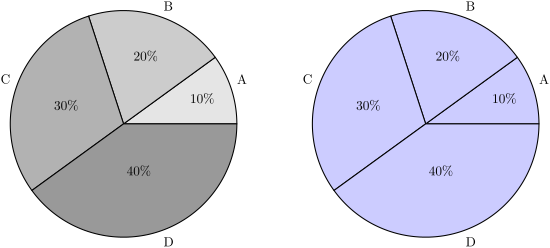
The color can be specified by color, the default color wheel is shown in figure 2.
\begin{tikzpicture}

  \pie[color={black!10, black!20, black!30, black!40}]

  {10/A, 20/B, 30/C, 40/D}


  \pie[pos={8,0}, color=blue!20] {10/A, 20/B, 30/C, 40/D}

\end{tikzpicture}
1.4Explode
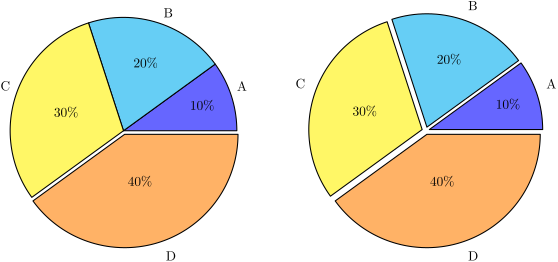
\begin{tikzpicture}

  % explode list

  \pie[explode={0, 0, 0, 0.1}] {10/A, 20/B, 30/C, 40/D}


  % explode all

  \pie[pos={8,0}, explode=0.1] {10/A, 20/B, 30/C, 40/D}

\end{tikzpicture}
1.5Angle of slices
The value of sum indicates the sum of all data in the chart, it is 100 by default. It can be calculated automatically when auto is set. Then the angle of slices are determined by number value and sum.
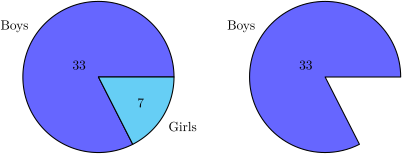
\begin{tikzpicture}

  \pie[sum=auto, after number=, radius=2]{33/Boys, 7/Girls}


  \pie[pos={6,0}, sum=40, after number=, radius=2]{33/Boys}

\end{tikzpicture}
1.6Slice order
The slices order direction can be set to clockwise by setting change direction, default is counterclockwise.
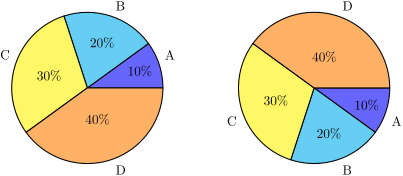
\begin{tikzpicture}

  \pie[radius=2]{10/A, 20/B, 30/C, 40/D}


  \pie[pos={6,0}, change direction, radius=2]{10/A, 20/B, 30/C, 40/D}

\end{tikzpicture}
1.7Text
1.7.1Number
Two parameters can be used to decorate number: before number and after number. Both are empty by default, but if sum=100, after number will be set to % automatically if user doesn’t set it.
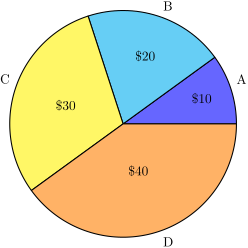
\begin{tikzpicture}

  \pie[before number={\$}, after number=,]{10/A, 20/B, 30/C, 40/D}

\end{tikzpicture}
The number also can be hide by hide number:

\begin{tikzpicture}

  \pie[hide number]{10/A, 20/B, 30/C, 40/D}

\end{tikzpicture}
-
/pgfpie/number in legend=⟨boolean⟩ (no default, initially false) 
Numbers can be displayed in the legend using number in legend.
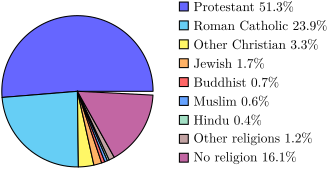
\begin{tikzpicture}

  \pie[text=legend,hide number,                number in legend,radius=2]{%

    51.3/Protestant,

    23.9/Roman Catholic,

    3.3/Other Christian,

    1.7/Jewish,

    0.7/Buddhist,

    0.6/Muslim,

    0.4/Hindu,

    1.2/Other religions,

    16.1/No religion}

\end{tikzpicture}
Scale font The size of font in size pie can be scaled according to how big the part is automatically.
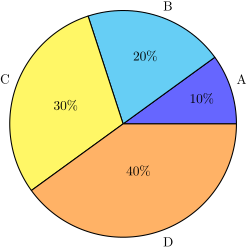
\begin{tikzpicture}

  \pie[scale font]{10/A, 20/B, 30/C, 40/D}

\end{tikzpicture}
1.7.2Label text
The value of text can be label (default), pin, inside or legend.
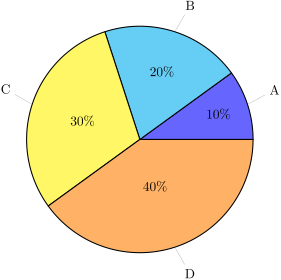
\begin{tikzpicture}

  \pie[text=pin]{10/A, 20/B, 30/C, 40/D}

\end{tikzpicture}
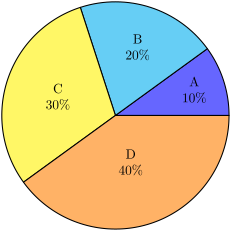
\begin{tikzpicture}

  \pie[text=inside]{10/A, 20/B, 30/C, 40/D}

\end{tikzpicture}
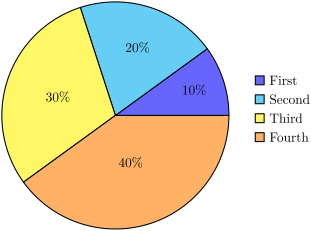
\begin{tikzpicture}

  \pie[text=legend]{10/First, 20/Second, 30/Third, 40/Fourth}

\end{tikzpicture}
1.8More about style
1.8.1shadow
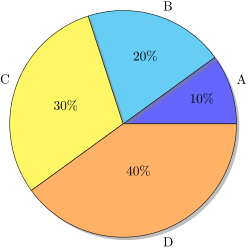
% \usetikzlibrary{shadows}

\begin{tikzpicture}

  \pie[style=drop shadow]{10/A, 20/B, 30/C, 40/D}

\end{tikzpicture}