The tcolorbox package
The Core Package
3 Macros for Box Creation
3.1 Using tcolorbox and \tcbox
\begin{tcolorbox}[⟨options⟩]
⟨environment content⟩
\end{tcolorbox}
This is the main environment to create an accentuated colored text box with rounded corners and, optionally, two parts. The appearance of this box is controlled by numerous options. In the most simple case the source code
creates the following compiled text box:

The text content of the box can be divided in an upper and a lower part by the command \tcblower. Visually, both parts are separated by a line. For example:
This code gives the following box:

The ⟨options⟩ control the appearance and several functions of the boxes, see Section 4 for the complete list. A quick example is given here:

\tcbset{⟨options⟩}
Sets options for every following tcolorbox inside the current TeX group. By default, this does not apply to nested boxes, see Section 4.16. For example, the colors of the boxes may be defined for the whole document by this:
\tcbsetforeverylayer{⟨options⟩}
Sets options for every following tcolorbox inside the current TeX group. In contrast to \tcbset, this does also apply to nested boxes, see Section 4.16. Technically, the ⟨options⟩ are appended to the default values for every tcolorbox which are applied by /tcb/reset. You should not use this macro, if you are not completely sure that you want to have the ⟨options⟩ also for boxes in boxes (in boxes in boxes …).
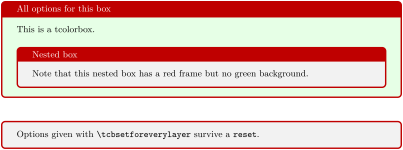
\tcbset{colback=green!10!white}

\tcbsetforeverylayer{colframe=red!75!black}


\begin{tcolorbox}[title=All options for this box]

  This is a tcolorbox.\par\medskip

  \begin{tcolorbox}[title=Nested box]

    Note that this nested box has a red frame but no green background.

  \end{tcolorbox}

\end{tcolorbox}

\bigskip


\begin{tcolorbox}[reset]

  Options given with |\tcbsetforeverylayer| survive a |reset|.

\end{tcolorbox}
\tcbox[⟨options⟩]{⟨box content⟩}
Creates a colored box which is fitted to the width of the given ⟨box content⟩. In principle, most ⟨options⟩ for a tcolorbox can be used for \tcbox with some restrictions. A \tcbox cannot have a lower part and cannot be broken.
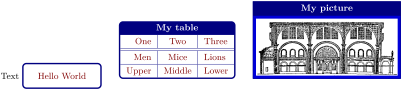
\tcbset{colframe=blue!50!black,colback=white,colupper=red!50!black,

        fonttitle=\bfseries,nobeforeafter,center title}


Text \tcbox[tcbox raise base]{Hello World}\hfill

%

\tcbox[left=0mm,right=0mm,top=0mm,bottom=0mm,boxsep=0mm,

  toptitle=0.5mm,bottomtitle=0.5mm,title=My table]{%

  \arrayrulecolor{blue!50!black}\renewcommand{\arraystretch}{1.2}%

  \begin{tabular}{r|c|l}

  One   & Two    & Three \\\hline\hline

  Men   & Mice   & Lions \\\hline

  Upper & Middle & Lower

  \end{tabular}}\hfill

%

\tcbox[colback=blue!85!black,

  left=0mm,right=0mm,top=0mm,bottom=0mm,boxsep=1mm,arc=0mm,boxrule=0.5pt,

  title=My picture]{%

  \includegraphics[width=5cm]{Basilica_5.png}}
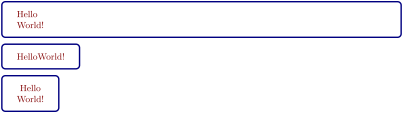
\tcbset{colframe=blue!50!black,colback=white,colupper=red!50!black,

        fonttitle=\bfseries,center title}


% Fixed width box

\begin{tcolorbox}Hello\\World!\end{tcolorbox}


% Fitted width box (like hbox or makebox)

\tcbox{Hello\\World!}


% Fitted width box (using a TikZ node)

\tcbox[tikznode]{Hello\\World!}
\tcboxverb[⟨options⟩]{⟨verbatim box content⟩}
Creates a colored box based on \tcbox which is fitted to the width of the given ⟨verbatim box content⟩. The underlying \tcbox is styled with /tcb/verbatim plus the given ⟨options⟩. The difference to \tcbox is that the ⟨verbatim box content⟩ is interpreted verbatim. Therefore, \tcboxverb acts similar to \verb.

\tcboxverb{\LaTeX}, \tcboxverb[colback=blue!10!white,colupper=blue]{\LaTeX},

\tcboxverb[blank,fuzzy halo]{\LaTeX}, \tcboxverb[beamer]{\LaTeX},

\tcboxverb[enhanced,skin=enhancedmiddle jigsaw,colframe=red]{\LaTeX}.
3.2 Producing tcolorbox Environments and Commands
\newtcolorbox[⟨init options⟩]{⟨name⟩}[⟨number⟩][⟨default⟩]{⟨options⟩}
Creates a new environment ⟨name⟩ based on tcolorbox. Basically, \newtcolorbox operates like \newenvironment. This means, the new environment ⟨name⟩ optionally takes ⟨number⟩ arguments, where ⟨default⟩ is the default value for the optional first argument. The ⟨options⟩ are given to the underlying tcolorbox. Note that /tcb/savedelimiter is set to the given ⟨name⟩ automatically. The ⟨init options⟩ allow setting up automatic numbering, see Section 5.

\newtcolorbox{mybox}{colback=red!5!white,

  colframe=red!75!black}


\begin{mybox}

This is my own box.

\end{mybox}
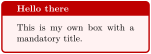
\newtcolorbox{mybox}[1]{colback=red!5!white,

  colframe=red!75!black,fonttitle=\bfseries,

  title={#1}}


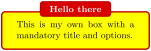
\begin{mybox}{Hello there}

This is my own box with a mandatory title.

\end{mybox}
\newtcolorbox{mybox}[2][]{colback=red!5!white,

  colframe=red!75!black,fonttitle=\bfseries,

  colbacktitle=red!85!black,enhanced,

attach boxed title to top center={yshift=-2mm},

  title={#2},#1}


\begin{mybox}[colback=yellow]{Hello there}

This is my own box with a mandatory title

and options.

\end{mybox}
\newtcolorbox[auto counter,counter within=section]{pabox}[2][]{%

  colback=red!5!white,colframe=red!75!black,fonttitle=\bfseries,

  title=Examp.~\thetcbcounter: #2,#1}
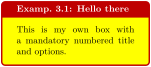
\begin{pabox}[colback=yellow]{Hello there}

This is my own box with a mandatory

numbered title and options.

\end{pabox}
\renewtcolorbox[⟨init options⟩]{⟨name⟩}[⟨number⟩][⟨default⟩]{⟨options⟩}
Operates like \newtcolorbox, but based on \renewenvironment instead of \newenvironment. An existing environment is redefined.
\NewTColorBox[⟨init options⟩]{⟨name⟩}{⟨specification⟩}{⟨options⟩}
Creates a new environment ⟨name⟩ based on tcolorbox.
Basically, \NewTColorBox operates like \NewDocumentEnvironment. This means, the new environment ⟨name⟩ is constructed with the given LaTeX3 argument ⟨specification⟩ following [Team 2025]. An error is issued if an environment with ⟨name⟩ has already been defined. The ⟨options⟩ are given to the underlying tcolorbox.
Note that /tcb/savedelimiter is set to the given ⟨name⟩ automatically.
The ⟨init options⟩ allow setting up automatic numbering, see Section 5.
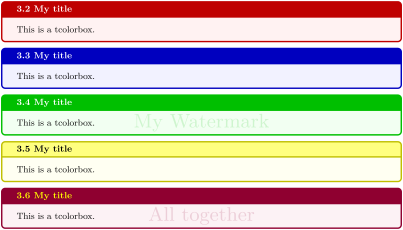
% counter from previous example

\NewTColorBox[use counter from=pabox]{mybox}{ O{red} m d"" !O{} }

  {enhanced,colframe=#1!75!black,colback=#1!5!white,

   fonttitle=\bfseries,title={\thetcbcounter~#2},

   IfValueT={#3}{watermark text={#3}},#4}


\begin{mybox}{My title}

This is a tcolorbox.

\end{mybox}


\begin{mybox}[blue]{My title}

This is a tcolorbox.

\end{mybox}


\begin{mybox}[green]{My title}"My Watermark"

This is a tcolorbox.

\end{mybox}


\begin{mybox}[yellow]{My title}[colbacktitle=yellow!50!white,coltitle=black]

This is a tcolorbox.

\end{mybox}


\begin{mybox}[purple]{My title}"All together"[coltitle=yellow]

This is a tcolorbox.

\end{mybox}
\RenewTColorBox[⟨init options⟩]{⟨name⟩}{⟨specification⟩}{⟨options⟩}
Operates like \NewTColorBox, but based on \RenewDocumentEnvironment instead of \NewDocumentEnvironment. An existing environment is redefined.
\ProvideTColorBox[⟨init options⟩]{⟨name⟩}{⟨specification⟩}{⟨options⟩}
Operates like \NewTColorBox, but based on \ProvideDocumentEnvironment instead of \NewDocumentEnvironment. The environment ⟨name⟩ is only created if it is not already defined.
\DeclareTColorBox[⟨init options⟩]{⟨name⟩}{⟨specification⟩}{⟨options⟩}
Operates like \NewTColorBox, but based on \DeclareDocumentEnvironment instead of \NewDocumentEnvironment. The new environment is always created, irrespective of an already existing environment with the same name.
\NewTotalTColorBox[⟨init options⟩]{\⟨name⟩}{⟨specification⟩}{⟨options⟩}{⟨content⟩}
Creates a new command \⟨name⟩ based on tcolorbox. In contrast to \NewTColorBox, also the ⟨content⟩ of the tcolorbox is specified.
Basically, \NewTotalTColorBox operates like \NewDocumentCommand. This means, the new command \⟨name⟩ is constructed with the given LaTeX3 argument ⟨specification⟩ following [Team 2025]. An error is issued if \⟨name⟩ has already been defined. The ⟨options⟩ are given to the underlying tcolorbox which is filled with the specified ⟨content⟩.
Note that /tcb/savedelimiter is set to the given ⟨name⟩ automatically. Also note that /tcb/saveto, /tcb/savelowerto, and /tcb/redirectlowerto cannot be used with \NewTotalTColorBox and friends.
The ⟨init options⟩ allow setting up automatic numbering, see Section 5.
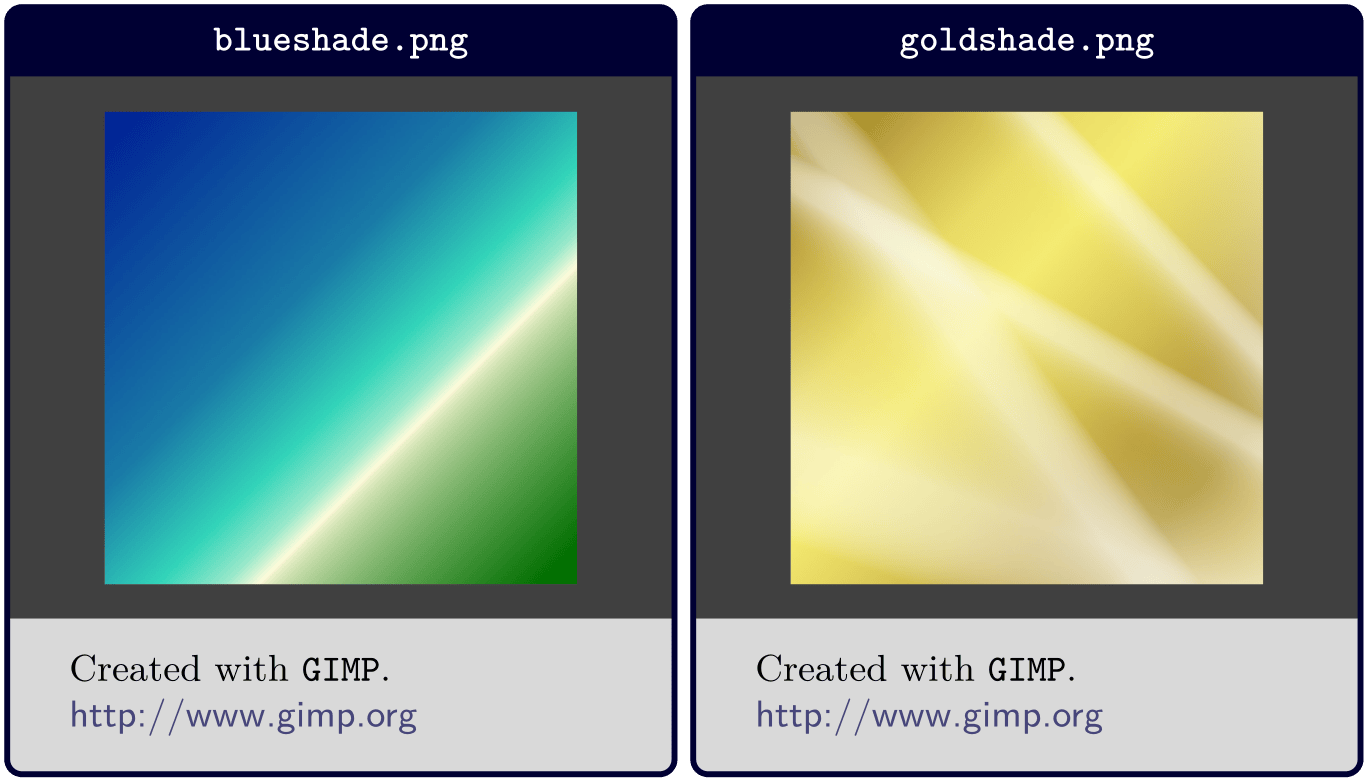
\NewTotalTColorBox{\diabox}{ O{} v  m }

  { bicolor,nobeforeafter,equal height group=diabox,width=5.7cm,

    fonttitle=\bfseries\ttfamily,adjusted title={#2},center title,

    colframe=blue!20!black,leftupper=0mm,rightupper=0mm,colback=black!75!white,#1}

  { \tikz\path[fill zoom image={#2}] (0,0) rectangle (\linewidth,4cm);%

    \tcblower#3}


\diabox{blueshade.png}{Created with |GIMP|.\\\url{http://www.gimp.org}}

\diabox{goldshade.png}{Created with |GIMP|.\\\url{http://www.gimp.org}}
\RenewTotalTColorBox[⟨init options⟩]{\⟨name⟩}{⟨specification⟩}{⟨options⟩}{⟨content⟩}
Operates like \NewTotalTColorBox, but based on \RenewDocumentCommand instead of \NewDocumentCommand. An existing command is redefined.
\ProvideTotalTColorBox[⟨init options⟩]{\⟨name⟩}{⟨specification⟩}{⟨options⟩}{⟨content⟩}
Operates like \NewTotalTColorBox, but based on \ProvideDocumentCommand instead of \NewDocumentCommand. The command \⟨name⟩ is only created if it is not already defined.
\DeclareTotalTColorBox[⟨init options⟩]{\⟨name⟩}{⟨specification⟩}{⟨options⟩}{⟨content⟩}
Operates like \NewTotalTColorBox, but based on \DeclareDocumentCommand instead of \NewDocumentCommand. The new command is always created, irrespective of an already existing command with the same name.
3.3 Producing \tcbox Commands
\newtcbox[⟨init options⟩]{\⟨name⟩}[⟨number⟩][⟨default⟩]{⟨options⟩}
Creates a new macro \⟨name⟩ based on \tcbox. Basically, \newtcbox operates like \newcommand. The new macro \⟨name⟩ optionally takes ⟨number⟩\(+1\) arguments (up to 10), where ⟨default⟩ is the default value for the optional first argument. Additional to the ⟨number⟩ arguments, there is an automatic last (mandatory) argument of \⟨name⟩ which takes the box content The ⟨options⟩ are given to the underlying \tcbox. The ⟨init options⟩ allow setting up automatic numbering, see Section 5.

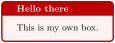
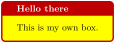
% counter from previous example

\newtcbox[use counter from=pabox]{\pbbox}[2][]{%

  colback=red!5!white,colframe=red!75!black,fonttitle=\bfseries,

  title=(\thetcbcounter) #2,#1}
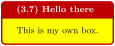
\pbbox[colback=yellow]{Hello there}%

  {This is my own box.}

\newtcbox{\mybox}[1][red]{on line,

  arc=0pt,outer arc=0pt,colback=#1!10!white,colframe=#1!50!black,

  boxsep=0pt,left=1pt,right=1pt,top=2pt,bottom=2pt,

  boxrule=0pt,bottomrule=1pt,toprule=1pt}

\newtcbox{\xmybox}[1][red]{on line,

  arc=7pt,colback=#1!10!white,colframe=#1!50!black,

  before upper={\rule[-3pt]{0pt}{10pt}},boxrule=1pt,

  boxsep=0pt,left=6pt,right=6pt,top=2pt,bottom=2pt}


The \mybox[green]{quick} brown \mybox{fox} \mybox[blue]{jumps} over the

\mybox[green]{lazy} \mybox{dog}.\par

The \xmybox[green]{quick} brown \xmybox{fox} \xmybox[blue]{jumps} over the

\xmybox[green]{lazy} \xmybox{dog}.
\NewTCBox[⟨init options⟩]{\⟨name⟩}{⟨specification⟩}{⟨options⟩}
Creates a new command \⟨name⟩ based on \tcbox. Basically, \NewTCBox operates like \NewDocumentCommand. This means, the new command \⟨name⟩ is constructed with the given LaTeX3 argument ⟨specification⟩ following [Team 2025]. Additional to the argument ⟨specification⟩, there is an automatic last (mandatory) argument of \⟨name⟩ which takes the box content. Therefore, \⟨name⟩ may have up to 10 arguments in sum. An error is issued if \⟨name⟩ has already been defined. The ⟨options⟩ are given to the underlying \tcbox.
Note that /tcb/savedelimiter is set to the given ⟨name⟩ automatically.
The ⟨init options⟩ allow setting up automatic numbering, see Section 5.
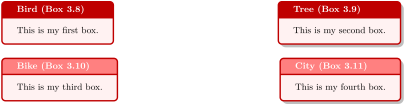
% counter from previous example

\NewTCBox[use counter from=pabox]{\mybox}{ s m s }

{ nobeforeafter,colback=red!5!white,colframe=red!75!black,

  title={#2 (Box \thetcbcounter)},fonttitle=\bfseries,

  IfBooleanT={#1}{enhanced,drop shadow},

  IfBooleanT={#3}{colbacktitle=red!50!white} }


\mybox{Bird}{This is my first box.}

  \hfill

\mybox*{Tree}{This is my second box.}

  \par\bigskip

\mybox{Bike}*{This is my third box.}

  \hfill

\mybox*{City}*{This is my fourth box.}
\NewTotalTCBox[⟨init options⟩]{\⟨name⟩}{⟨specification⟩}{⟨options⟩}{⟨content⟩}
Creates a new command \⟨name⟩ based on \tcbox. In contrast to \NewTCBox, also the ⟨content⟩ of the \tcbox is specified.
Basically, \NewTotalTCBox operates like \NewDocumentCommand. This means, the new command \⟨name⟩ is constructed with the given LaTeX3 argument ⟨specification⟩ following [Team 2025]. An error is issued if \⟨name⟩ has already been defined. The ⟨options⟩ are given to the underlying \tcbox which is filled with the specified ⟨content⟩.
Note that /tcb/savedelimiter is set to the given ⟨name⟩ automatically.
The ⟨init options⟩ allow setting up automatic numbering, see Section 5.

\NewTotalTCBox{\myverb}{ O{red} v !O{} }

{ fontupper=\ttfamily,nobeforeafter,tcbox raise base,arc=0pt,outer arc=0pt,

  top=0pt,bottom=0pt,left=0mm,right=0mm,

  leftrule=0pt,rightrule=0pt,toprule=0.3mm,bottomrule=0.3mm,boxsep=0.5mm,

  colback=#1!10!white,colframe=#1!50!black,#3}{#2}


To set a word \textbf{bold} in \myverb{\LaTeX}, use

\myverb[green]{\textbf{bold}}. Alternatively, write

\myverb[yellow]{{\bfseries bold}}.

In \myverb[blue]{\LaTeX}[enhanced,fuzzy halo], other font settings are

done in the same way, e.\,g.\ \myverb{\textit}, \myverb{\itshape}\\

or \myverb[brown]{\texttt}, \myverb[brown]{\ttfamily}.
The next example uses \lstinline from the listings package to typeset the verbatim content.

% \usepackage{listings} or \tcbuselibrary{listings}

\NewTotalTCBox{\commandbox}{ s v }

{verbatim,colupper=white,colback=black!75!white,colframe=black}

{\IfBooleanT{#1}{\textcolor{red}{\ttfamily\bfseries > }}%

  \lstinline[language=command.com,keywordstyle=\color{blue!35!white}\bfseries]^#2^}


\commandbox*{cd "My Documents"} changes to directory \commandbox{My Documents}.


\commandbox*{dir /A} lists the directory content.


\commandbox*{copy example.txt d:\target} copies \commandbox{example.txt} to

  \commandbox{d:\target}.
\RenewTotalTCBox[⟨init options⟩]{\⟨name⟩}{⟨specification⟩}{⟨options⟩}{⟨content⟩}
Operates like \NewTotalTCBox, but based on \RenewDocumentCommand instead of \NewDocumentCommand. An existing command is redefined.
\ProvideTotalTCBox[⟨init options⟩]{\⟨name⟩}{⟨specification⟩}{⟨options⟩}{⟨content⟩}
Operates like \NewTotalTCBox, but based on \ProvideDocumentCommand instead of \NewDocumentCommand. The command \⟨name⟩ is only created if it is not already defined.
\DeclareTotalTCBox[⟨init options⟩]{\⟨name⟩}{⟨specification⟩}{⟨options⟩}{⟨content⟩}
Operates like \NewTotalTCBox, but based on \DeclareDocumentCommand instead of \NewDocumentCommand. The new command is always created, irrespective of an already existing command with the same name.
3.4 Redefining other Environments (Wrapping with tcolorbox)
\tcolorboxenvironment{⟨name⟩}{⟨options⟩}New: 2014-10-20
An existing environment ⟨name⟩ is redefined to be boxed inside a tcolorbox with the given ⟨options⟩.

% tcbuselibrary{skins}

\newenvironment{myitemize}{%

  \begin{itemize}}{\end{itemize}}


\tcolorboxenvironment{myitemize}{blanker,

  before skip=6pt,after skip=6pt,

  borderline west={3mm}{0pt}{red}}


Some text.

\begin{myitemize}

\item Alpha

\item Beta

\item Gamma

\end{myitemize}

More text.
See further examples in Section 18.4.