The tcolorbox package
Libraries
17 Libraries listings, listingsutf8, and minted
17.1 Loading the Libraries
In contrast to other tcolorbox libraries, the libraries listings, listingsutf8, and minted are concurrent in the sense that they all do the same thing, i. e., displaying listings with or without typesetting the listing in LaTeX parallel. The difference is the underlying LaTeX package which does the core job for displaying a listing. So, typically, you need just one of these libraries. If you do not have a clue which one of them you should use and you are using pdflatex, you should take listingsutf8. If you are using xelatex or lualatex, you should take listings as xelatex and lualatex are not compatible with listingsutf8.
The order in which the libraries are included influences the default settings and the /tcb/reset behavior. The settings of a later loaded library overwrite the settings of a previous loaded library. A library is never loaded twice.
17.1.1 Loading listings
This library uses the package listings [Heinz et al. 2024] to typeset listings. It is loaded by a package option or inside the preamble by:
This also loads the package listings [Heinz et al. 2024].
The /tcb/listing engine is set to listings by the library. To reactivate this setting, if overwritten by other libraries, use
\tcbset{listing engine=listings}
17.1.2 Loading listingsutf8
This library is not needed (and troublesome) when using XeLaTeX or LuaLaTeX. Therefore, loading this library is automatically replaced by loading listings only, if pdfLaTeX is not used.
To extend listings for UTF-8 encoded sources, you can use the support from the package listingsutf8 [Oberdiek 2019] by loading the library variant listingsutf8.
\tcbuselibrary{listingsutf8}

\tcbset{listing utf8=latin1}% optional; `latin1' is the default.
This also loads the library listings and the packages listings [Heinz et al. 2024] and listingsutf8 [Oberdiek 2019].
The /tcb/listing engine is set to listings by the library. To reactivate this setting, if overwritten by other libraries, use
\tcbset{listing engine=listings}
17.1.3 Loading minted
This library uses the package minted [Poore 2025] to typeset listings. It is loaded by a package option or inside the preamble by:
This also loads the package minted [Poore 2025].
The minted package uses the external tool Pygments [2025] to apply syntax highlighting. It has to be installed and set up, before the library can be used, see [Poore 2025] and [2025]. The tcolorbox library minted does not work, if the package minted [Poore 2025] does not work.
The /tcb/listing engine is set to minted by the library. To reactivate this setting, if overwritten by other libraries, use
\tcbset{listing engine=minted}
17.2 Common Macros of the Libraries
\begin{tcblisting}{⟨options⟩}
⟨environment content⟩
\end{tcblisting}
Creates a colored box based on a tcolorbox. Controlled by the given ⟨options⟩, the environment content is typeset normally and/or as a listing. Furthermore, the ⟨options⟩ control appearance and functions of the tcolorbox. By default, the listing is interpreted as a LaTeX listing.

\begin{tcblisting}{colback=red!5!white,colframe=red!75!black}

This is a \LaTeX\ example which displays the text as source code

and in compiled form.

\end{tcblisting}
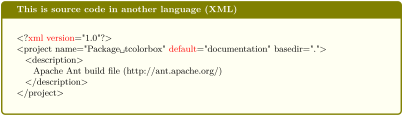
% \tcbuselibrary{listings} /or/ \tcbuselibrary{listingsutf8}

\begin{tcblisting}{colback=yellow!5,colframe=yellow!50!black,listing only,

    title=This is source code in another language (XML), fonttitle=\bfseries,

  listing options={language=XML,columns=fullflexible,keywordstyle=\color{red}}}

<?xml version="1.0"?>

<project name="Package tcolorbox" default="documentation" basedir=".">

  <description>

    Apache Ant build file (http://ant.apache.org/)

  </description>

</project>

\end{tcblisting}
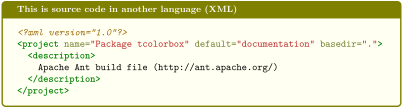
% \tcbuselibrary{minted}

\begin{tcblisting}{colback=yellow!5,colframe=yellow!50!black,listing only,

    title=This is source code in another language (XML), fonttitle=\bfseries,

  listing engine=minted,minted language=xml}

<?xml version="1.0"?>

<project name="Package tcolorbox" default="documentation" basedir=".">

  <description>

    Apache Ant build file (http://ant.apache.org/)

  </description>

</project>

\end{tcblisting}
% This box is as wide as needed (listing only !!)

% \tcbuselibrary{skins}

\begin{tcblisting}{colback=green!5!white,colframe=green!50!black,listing only,

  hbox,enhanced,drop fuzzy shadow,before=\begin{center},after=\end{center}}

\begin{tikzpicture}

\fill[red] (0,0) rectangle (1,1);

\end{tikzpicture}

\end{tcblisting}
\begin{tcboutputlisting}
⟨environment content⟩
\end{tcboutputlisting}
Saves the environment content to a file which is named by the key value of /tcb/listing file. Later, this file can be loaded by \tcbinputlisting or \tcbuselistingtext or \tcbuselistinglisting.
\begin{tcboutputlisting}

This \textbf{text} is written to a standardized file for later usage.

\end{tcboutputlisting}
\tcbinputlisting{⟨options⟩}
Creates a colored boxed based on a tcolorbox. The text content is read from a file named by the key value of /tcb/listing file. Apart from that, the function is equal to that of tcblisting.
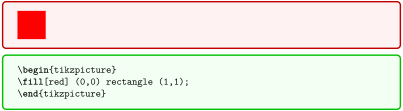
\tcbinputlisting{colback=red!5!white,colframe=red!75!black,text only}

\tcbinputlisting{colback=green!5,colframe=green!75!black,listing only}
\tcbuselistingtext
Loads text from a file named by the key value of /tcb/listing file.

\tcbuselistinglisting
Typesets text as listing from a file named by the key value of /tcb/listing file.
\tcbusetemplisting
Typesets text as listing from a temporary file which was written by tcbwritetemp.
17.3 Producing tcblisting Environments
If a new sort of tcblisting environments should be created with one optional argument only, one is highly recommended to use \DeclareTCBListing or \NewTCBListing instead of \newtcblisting to avoid content scanning problems.
\newtcblisting[⟨init options⟩]{⟨name⟩}[⟨number⟩][⟨default⟩]{⟨options⟩}
Creates a new environment ⟨name⟩ based on tcblisting. Basically, \newtcblisting operates like \newenvironment. This means, the new environment ⟨name⟩ optionally takes ⟨number⟩ arguments, where ⟨default⟩ is the default value for the optional first argument. The ⟨options⟩ are given to the underlying tcblisting. Note that /tcb/savedelimiter is set to the given ⟨name⟩ automatically. The ⟨init options⟩ allow setting up automatic numbering, see Section 5.
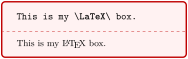
\newtcblisting{mybox}{%

  colback=red!5!white,

  colframe=red!75!black}


\begin{mybox}

This is my \LaTeX\ box.

\end{mybox}
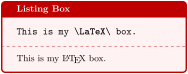
\newtcblisting{mybox}[1]{%

  colback=red!5!white,

  colframe=red!75!black,

  fonttitle=\bfseries,

  title={#1}}


\begin{mybox}{Listing Box}

This is my \LaTeX\ box.

\end{mybox}
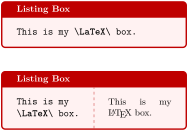
\newtcblisting{mybox}[2][]{%

  colback=red!5!white,

  colframe=red!75!black,

  fonttitle=\bfseries,

  title={#2},#1}


\begin{mybox}[listing only]

  {Listing Box}

This is my \LaTeX\ box.

\end{mybox}

\bigskip


\begin{mybox}[listing side text]

  {Listing Box}

This is my

\LaTeX\ box.

\end{mybox}
\newtcblisting[auto counter]{mycbox}[1]{%

  colback=red!5!white,colframe=red!75!black,fonttitle=\bfseries,

  title=Listing \thetcbcounter: #1}
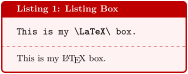
\begin{mycbox}{Listing Box}

This is my \LaTeX\ box.

\end{mycbox}
\renewtcblisting[⟨init options⟩]{⟨name⟩}[⟨number⟩][⟨default⟩]{⟨options⟩}
Operates like \newtcblisting, but based on \renewenvironment instead of \newenvironment. An existing environment is redefined.
\NewTCBListing[⟨init options⟩]{⟨name⟩}{⟨specification⟩}{⟨options⟩}
Creates a new environment ⟨name⟩ based on tcblisting.
Basically, \NewTCBListing operates like \NewDocumentEnvironment. This means, the new environment ⟨name⟩ is constructed with the given LaTeX3 argument ⟨specification⟩ following [Team 2025]. An error is issued if ⟨name⟩ has already been defined. The ⟨options⟩ are given to the underlying tcblisting.
Note that /tcb/savedelimiter is set to the given ⟨name⟩ automatically.
The ⟨init options⟩ allow setting up automatic numbering, see Section 5.
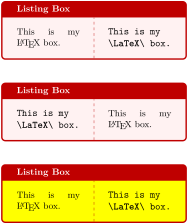
\NewTCBListing{mybox}{ s O{} m }{%

  colback=red!5!white,

  colframe=red!75!black,

  fonttitle=\bfseries,

  IfBooleanTF={#1}

    {listing side text}

    {text side listing},

  title={#3},#2}


\begin{mybox}{Listing Box}

This is my

\LaTeX\ box.

\end{mybox}

\bigskip


\begin{mybox}*{Listing Box}

This is my

\LaTeX\ box.

\end{mybox}

\bigskip


\begin{mybox}[colback=yellow]

  {Listing Box}

This is my

\LaTeX\ box.

\end{mybox}
\RenewTCBListing[⟨init options⟩]{⟨name⟩}{⟨specification⟩}{⟨options⟩}
Operates like \NewTCBListing, but based on \RenewDocumentEnvironment instead of \NewDocumentEnvironment. An existing environment is redefined.
\ProvideTCBListing[⟨init options⟩]{⟨name⟩}{⟨specification⟩}{⟨options⟩}
Operates like \NewTCBListing, but based on \ProvideDocumentEnvironment instead of \NewDocumentEnvironment. The environment ⟨name⟩ is only created if it is not already defined.
\DeclareTCBListing[⟨init options⟩]{⟨name⟩}{⟨specification⟩}{⟨options⟩}
Operates like \NewTCBListing, but based on \DeclareDocumentEnvironment instead of \NewDocumentEnvironment. The new environment is always created, irrespective of an already existing environment with the same name.
A listing environment ending with an optional argument like O{} needs special attention. Without the prefix «!» spaces after the begin of the environment are trimmed, see [Team 2025]. This results in error or unwanted behaviour, if the optional argument is not used and the content of the environment starts with brackets or a backslash. With prefix «!», a space or linebreak after environment begin is enough to avoid these problems.
\DeclareTCBListing{mybox}{ !O{} }{listing only,#1}


\begin{mybox}[colframe=red]

\good

\end{mybox}


\begin{mybox}[colframe=red]\good\end{mybox}


\begin{mybox}

\good

\end{mybox}


\begin{mybox} \good\end{mybox}


\begin{mybox}\bad!\end{mybox}


\begin{mybox}

[\good]

\end{mybox}


\begin{mybox} [\good]\end{mybox}


\begin{mybox}[\bad!]\end{mybox}
\DeclareTCBListing{mybox}{ O{} }{listing only,#1}


\begin{mybox}[colframe=red]

\good

\end{mybox}


\begin{mybox}[colframe=red]\good\end{mybox}


\begin{mybox}

\bad!

\end{mybox}


\begin{mybox} \bad!\end{mybox}


\begin{mybox}\bad!\end{mybox}


\begin{mybox}

[\bad!]

\end{mybox}


\begin{mybox} [\bad!]\end{mybox}


\begin{mybox}[\bad!]\end{mybox}
17.4 Producing \tcbinputlisting Commands
\newtcbinputlisting[⟨init options⟩]{\⟨name⟩}[⟨number⟩][⟨default⟩]{⟨options⟩}
Creates a new macro \⟨name⟩ based on \tcbinputlisting. Basically, \newtcbinputlisting operates like \newcommand. The new macro \⟨name⟩ optionally takes ⟨number⟩ arguments, where ⟨default⟩ is the default value for the optional first argument. The ⟨options⟩ are given to the underlying \tcbinputlisting. The ⟨init options⟩ allow setting up automatic numbering, see Section 5.
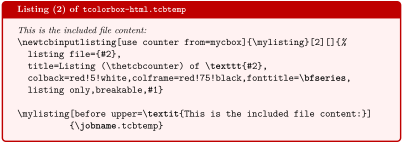
\newtcbinputlisting[use counter from=mycbox]{\mylisting}[2][]{%

  listing file={#2},

  title=Listing (\thetcbcounter) of \texttt{#2},

  colback=red!5!white,colframe=red!75!black,fonttitle=\bfseries,

  listing only,breakable,#1}


\mylisting[before upper=\textit{This is the included file content:}]

          {\jobname.tcbtemp}
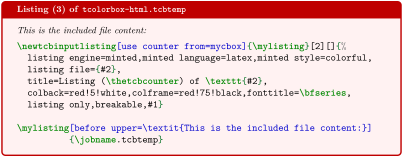
\newtcbinputlisting[use counter from=mycbox]{\mylisting}[2][]{%

  listing engine=minted,minted language=latex,minted style=colorful,

  listing file={#2},

  title=Listing (\thetcbcounter) of \texttt{#2},

  colback=red!5!white,colframe=red!75!black,fonttitle=\bfseries,

  listing only,breakable,#1}


\mylisting[before upper=\textit{This is the included file content:}]

          {\jobname.tcbtemp}
\renewtcbinputlisting[⟨init options⟩]{\⟨name⟩}[⟨number⟩][⟨default⟩]{⟨options⟩}
Operates like \newtcbinputlisting, but based on \renewcommand instead of \newcommand. An existing macro is redefined.
\NewTCBInputListing[⟨init options⟩]{\⟨name⟩}{⟨specification⟩}{⟨options⟩}
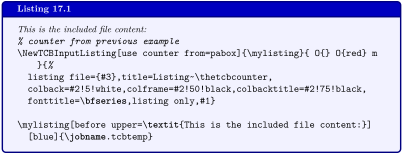
Creates a new command \⟨name⟩ based on \tcbinputlisting. Basically, \NewTCBInputListing operates like \NewDocumentCommand. This means, the new command \⟨name⟩ is constructed with the given LaTeX3 argument ⟨specification⟩ following [Team 2025]. An error is issued if \⟨name⟩ has already been defined. The ⟨options⟩ are given to the underlying \tcbinputlisting.
The ⟨init options⟩ allow setting up automatic numbering, see Section 5.
% counter from previous example

\NewTCBInputListing[use counter from=pabox]{\mylisting}{ O{} O{red} m }{%

  listing file={#3},title=Listing~\thetcbcounter,

  colback=#2!5!white,colframe=#2!50!black,colbacktitle=#2!75!black,

  fonttitle=\bfseries,listing only,#1}


\mylisting[before upper=\textit{This is the included file content:}]

  [blue]{\jobname.tcbtemp}
\RenewTCBInputListing[⟨init options⟩]{\⟨name⟩}{⟨specification⟩}{⟨options⟩}
Operates like \NewTCBInputListing, but based on \RenewDocumentCommand instead of \NewDocumentCommand. An existing command is redefined.
\ProvideTCBInputListing[⟨init options⟩]{\⟨name⟩}{⟨specification⟩}{⟨options⟩}
Operates like \NewTCBInputListing, but based on \ProvideDocumentCommand instead of \NewDocumentCommand. The command \⟨name⟩ is only created if it is not already defined.
\DeclareTCBInputListing[⟨init options⟩]{\⟨name⟩}{⟨specification⟩}{⟨options⟩}
Operates like \NewTCBInputListing, but based on \DeclareDocumentCommand instead of \NewDocumentCommand. The new command is always created, irrespective of an already existing command with the same name.
17.5 Option Keys of the listings Library
/tcb/listing options=⟨key list⟩(no default, initially style=tcblatex)
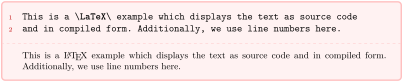
Sets the options from the package listings [Heinz et al. 2024] which are used during typesetting of the listing. For LaTeX listings, there is a predefined listings style named tcblatex which can be used.
\begin{tcblisting}{colback=red!5!white,colframe=red!25,left=6mm,

listing options={style=tcblatex,numbers=left,numberstyle=\tiny\color{red!75!black}}}

This is a \LaTeX\ example which displays the text as source code

and in compiled form. Additionally, we use line numbers here.

\end{tcblisting}
/tcb/no listing options(no value, initially unset)
Abbreviation for listing options={}. This removes all options for the listings package. This includes the tcblisting standard style tcblatex and the encoding presets. Use this option, if you want to set the listings options outside of tcblisting, e. g. globally in the preamble.

\begin{tcblisting}{no listing options}

All \textit{listings} options removed.

\end{tcblisting}
/tcb/listing style=⟨style⟩(no default, initially tcblatex)
Abbreviation for listing options={style=...}. This key sets a ⟨style⟩ for the listings package, see [Heinz et al. 2024]. For LaTeX, there is a predefined style named tcblatex.

\begin{tcblisting}{colback=red!5!white,colframe=red!75!black,

listing style=tcblatex}

Here, we use the predefined style.

\end{tcblisting}
/tcb/listing remove caption=true|false(default true, initially true)
If set to true, some part of the caption building code of the listings package is silenced to prevent some unwanted interaction with the hyperref package resulting in additional vertical space. If set to false, the listings package code is kept unchanged. Note that listings outside tcblisting and \tcbinputlisting are always processed normally. Typically, a user is not expected to use this key at all.
/tcb/every listing line=⟨text⟩(no default, initially unset/empty)
Inserts some ⟨text⟩ to the begin of every line of a listing. Note that this a hack of the listings package code. This may become unusable or superfluous in the future.

\newtcblisting{commandshell}{colback=black,colupper=white,colframe=yellow!75!black,

  listing only,listing options={style=tcblatex,language=sh},

  every listing line={\textcolor{red}{\small\ttfamily\bfseries root \$> }}}


\begin{commandshell}

ls -al

cd /usr/lib

\end{commandshell}
/tcb/every listing line*=⟨text⟩(no default, initially unset/empty)
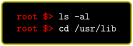
Identical to /tcb/every listing line plus additional enlargement of /tcb/rightupper by the width of ⟨text⟩. Therefore, this option has to be used after the geometry settings are done. This option is intended to be used in conjunction with /tcb/hbox.
\newtcblisting{commandshell}{colback=black,colupper=white,colframe=yellow!75!black,

  listing only,listing options={style=tcblatex,language=sh},hbox,

  every listing line*={\textcolor{red}{\small\ttfamily\bfseries root \$> }}}


\begin{commandshell}

ls -al

cd /usr/lib

\end{commandshell}
See further options in Section 17.8.
For a combined example of using \lstinline inside a tcolorbox, see \DeclareTotalTCBox.
17.6 Option Keys of the listingsutf8 Library
The listingsutf8 library is not needed (and troublesome) when using XeLaTeX or LuaLaTeX. Therefore, loading this library is automatically replaced by loading listings only, if pdfLaTeX is not used.
The listingsutf8 library is an extension of the listings library, so all options from Section 17.5 are applicable.
/tcb/listing utf8=⟨one-byte-encoding⟩(style, no default, initially latin1)
Abbreviation for using /tcb/listing inputencoding together with UTF-8 support from the package listingsutf8 [Oberdiek 2019]. This option is available only for the library variant listingsutf8. The ⟨one-byte-encoding⟩ is one of the applicable encodings from [Oberdiek 2019], e. g. latin1 which is the default. Be aware that this means restriction to this specific ⟨one-byte-encoding⟩: e. g. latin1 comprises umlauts and other accented characters, but not the Euro sign. If you want to use the listings package and «real» UTF-8 source code, then do not use listingsutf8 but listings with /tcb/listing inputencoding=utf8 and with specific manual hacks for specific UTF-8-encoded characters.
See further options in Section 17.8.
17.7 Option Keys of the minted Library
/tcb/minted language=⟨programming language⟩(no default, initially latex)
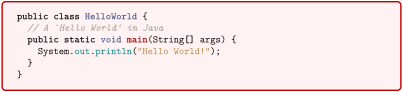
Sets a ⟨programming language⟩ known to Pygments [2025].
\begin{tcblisting}{listing engine=minted,minted style=trac,

  minted language=java,

  colback=red!5!white,colframe=red!75!black,listing only}

    public class HelloWorld {

      // A `Hello World' in Java

      public static void main(String[] args) {

        System.out.println("Hello World!");

      }

    }

\end{tcblisting}
/tcb/minted options=⟨key list⟩(no default, initially see /tcb/default minted options)Updated: 2021-12-15
Sets the options from the package minted [Poore 2025] which are used during typesetting of the listing. Also see /tcb/minted options app and /tcb/minted options pre.
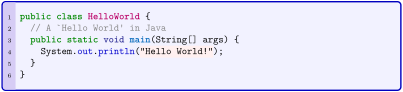
% \tcbuselibrary{skins}

\newtcblisting{myjava}{listing engine=minted,

  minted style=colorful,

  minted language=java,

  minted options={fontsize=\small,breaklines,autogobble,linenos,numbersep=3mm},

  colback=blue!5!white,colframe=blue!75!black,listing only,

  left=5mm,enhanced,

  overlay={\begin{tcbclipinterior}\fill[red!20!blue!20!white] (frame.south west)

    rectangle ([xshift=5mm]frame.north west);\end{tcbclipinterior}}}


\begin{myjava}

  public class HelloWorld {

    // A `Hello World' in Java

    public static void main(String[] args) {

      System.out.println("Hello World!");

    }

  }

\end{myjava}
/tcb/default minted options=⟨key list⟩(no default, initially tabsize=2,fontsize=\textbackslash small,breaklines,autogobble)New: 2021-12-15
Sets the options from the package minted [Poore 2025] which are used during typesetting of the listing, if /tcb/minted options are not used. The intended use is inside the preamble to change the default behavior. Note that setting /tcb/default minted options also resets /tcb/minted options. Since minted [Poore 2025] v2.6 set stripnl=false, adding stripnl could be helpful to remove leading and trailing blank lines.
/tcb/minted style=⟨style⟩(no default, initially unset)Updated: 2024-11-07
Sets a ⟨style⟩ known to Pygments [2025], see https://pygments.org/styles/. Alternatively, one could add style=⟨style⟩ to /tcb/minted options. Note that setting \usemintedstyle{⟨style⟩} only once per document is more economic, if all styles in a document are the same. For examples of different styles, see /tcb/minted language and /tcb/minted options.
Up to version 6.4.1, /tcb/minted style applied \usemintedstyle{⟨style⟩} resulting in a global style change, even for code using minted directly. Now, /tcb/minted style only applies to tcolorbox.
See further options in Section 17.8.
17.8 Common Option Keys of all Libraries
For the ⟨options⟩ in tcblisting respectively \tcbinputlisting the following pgf keys can be applied. The key tree path /tcb/ is not to be used inside these macros.
/tcb/listing engine=⟨engine⟩(no default)
listings, if library listings or listingsutf8 is loaded.
minted, if library minted is loaded.
Sets the ⟨engine⟩ which typesets the listings. Feasible values are
/tcb/listing file=⟨file name⟩(no default, initially \jobname.listing)
Sets the ⟨file name⟩ of the file which is used to save listings.
/tcb/listing and text(no value, initially set)
Typesets the environment content as listing in the upper part and as compiled text in the lower part.

\begin{tcblisting}{colback=red!5!white,colframe=red!75!black,listing and text}

This is a \LaTeX\ example.

\end{tcblisting}
/tcb/text and listing(no value)
Typesets the environment content as compiled text in the upper part and as listing in the lower part.

\begin{tcblisting}{colback=red!5!white,colframe=red!75!black,text and listing}

This is a \LaTeX\ example.

\end{tcblisting}
/tcb/listing only(no value)
Typesets the environment content as listing.

\begin{tcblisting}{colback=red!5!white,colframe=red!75!black,listing only}

This is a \LaTeX\ example.

\end{tcblisting}
/tcb/text only(no value)
Typesets the environment content as compiled text.

\begin{tcblisting}{colback=red!5!white,colframe=red!75!black,text only}

This is a \LaTeX\ example.

\end{tcblisting}
/tcb/comment=⟨text⟩(no default, initially empty)
Records a comment with ⟨text⟩ as content. The comment is displayed e. g. in conjunction with /tcb/listing and comment and /tcb/comment and listing.

\begin{tcblisting}{comment={This comment is really only a comment},

  colback=red!5!white,colframe=red!75!black}

This is a \textbf{tcolorbox}.

\end{tcblisting}
/tcb/comment only(no value)New: 2014-11-17
Typesets the environment content with the comment text.

\begin{tcblisting}{comment only,

  comment={This is a comment.},

  colback=red!5!white,colframe=red!75!black}

This is a \textbf{tcolorbox}.

\end{tcblisting}
/tcb/image comment={⟨options⟩}{⟨filename⟩}(style, no default, initially unset)
Uses an image denoted by ⟨filename⟩ as comment for the listing. The image is included by the standard \includegraphics macro with given ⟨options⟩.

\begin{tcblisting}{colback=red!5!white,colframe=red!75!black,listing side comment,

  image comment={width=2.5cm}{example-image-a.pdf},center lower}

This is a \LaTeX\ example.

\end{tcblisting}
/tcb/tcbimage comment=⟨filename⟩(style, no default, initially unset)New: 2014-11-14
Uses an image denoted by ⟨filename⟩ as comment for the listing. The image is included by the \tcbincludegraphics macro. The inclusion can be customized by /tcb/comment style.
The library skins is needed to apply this option.
% \tcbuselibrary{skins}

\begin{tcblisting}{colback=red!5!white,colframe=red!75!black,listing side comment,

  righthand width=3cm,lower separated=false,

  tcbimage comment={example-image-a.pdf},

  comment style={size=fbox,colframe=blue,colback=blue!50,sharp corners,

    drop fuzzy shadow}}

This is a \LaTeX\ example.

\end{tcblisting}
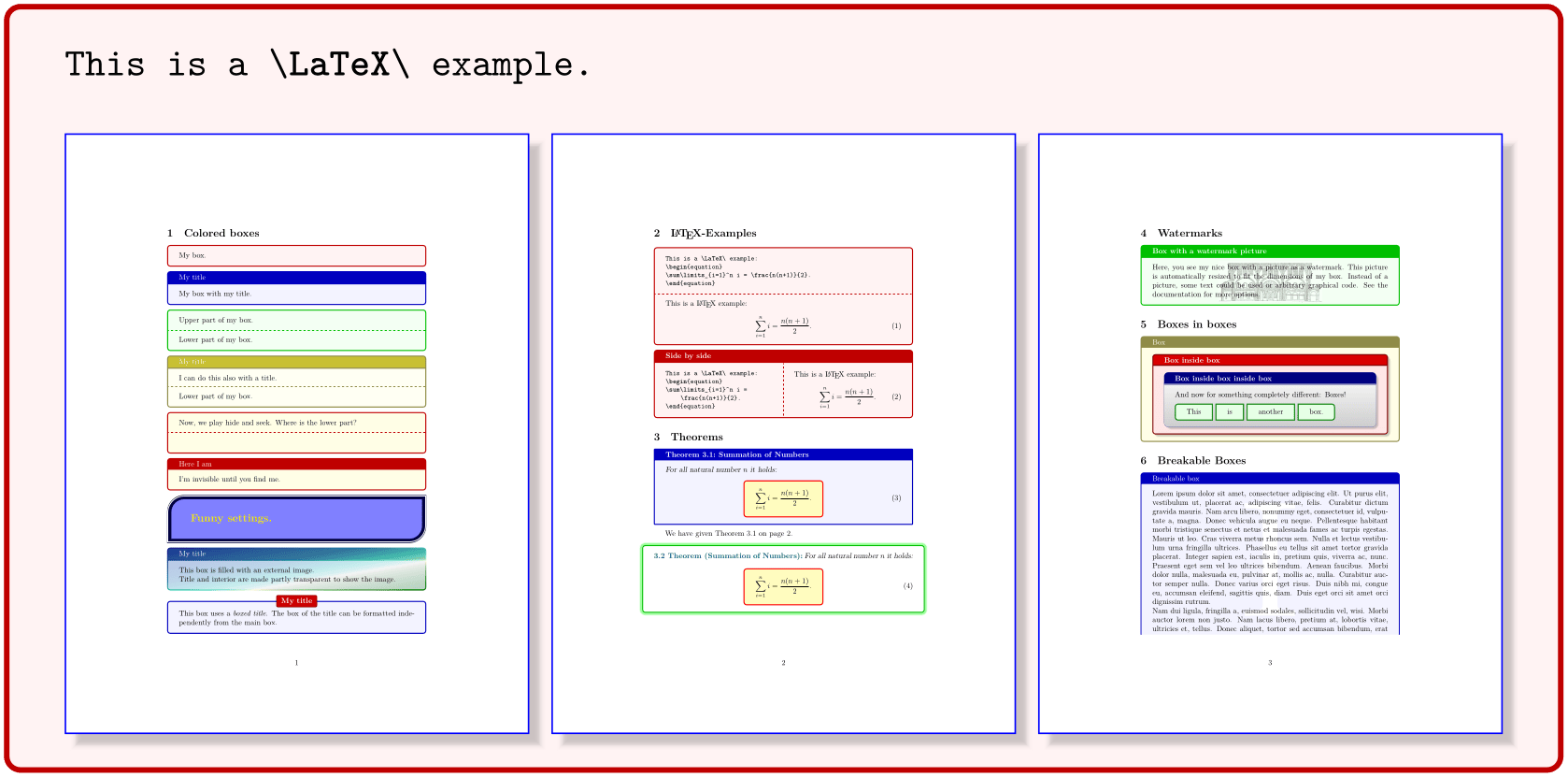
/tcb/pdf comment=⟨filename⟩(style, default listing file, initially unset)New: 2014-11-14
Uses a PDF file denoted by ⟨filename⟩ as comment for the listing. The image is included by \tcbincludepdf inside a tcbraster. The inclusion can be customized by /tcb/comment style.
The libraries skins and raster are needed to apply this option.
% \tcbuselibrary{skins,raster}

\begin{tcblisting}{colback=red!5!white,colframe=red!75!black,listing and comment,

  righthand width=3cm,lower separated=false,middle=1mm,

  pdf comment={tcolorbox-example.pdf},

  comment style={raster columns=3,graphics pages={1,2,3},

    colframe=blue,drop fuzzy shadow}}

This is a \LaTeX\ example.

\end{tcblisting}
/tcb/pdf extension=⟨extension⟩(no default, initially pdf)New: 2014-11-14
Sets the PDF file name extension for /tcb/pdf comment to ⟨extension⟩. Note that ⟨extension⟩ always overwrites any actual extension given inside /tcb/pdf comment.
/tcb/comment style=⟨options⟩(no default, initially empty)New: 2014-11-14
Sets the ⟨options⟩ for /tcb/tcbimage comment and /tcb/pdf comment. These are tcolorbox options to customize the colored box drawn around the image(s), also image options encapsulated by /tcb/graphics options, and tcbraster options for /tcb/pdf comment.
/tcb/listing and comment(no value)
Typesets the environment content as listing in the upper part and a given comment in the lower part.

\begin{tcblisting}{colback=red!5!white,colframe=red!75!black,listing and comment,

  comment={This is my comment. It may contain line breaks.\par

    It can even use the environment content

    \flqq\ignorespaces\tcbuselistingtext\unskip\frqq}}

This is a \LaTeX\ example.

\end{tcblisting}
/tcb/comment and listing(no value)
Typesets a given comment in the upper part and the environment content as listing in the lower part.

\begin{tcblisting}{colback=red!5!white,colframe=red!75!black,comment and listing,

comment={This is my comment.}}

This is a \LaTeX\ example.

\end{tcblisting}
/tcb/listing side text(style, no value)
Typesets the environment content side by side as listing in the left (upper) part and as compiled text in the right (lower) part. This is a shortcut for setting /tcb/listing and text and /tcb/sidebyside.

\begin{tcblisting}{colback=red!5!white,colframe=red!75!black,listing side text}

This is a \LaTeX\ example.

\end{tcblisting}
Note that sidebyside=false has to be added, if the setting of /tcb/listing side text is to be annihilated.
/tcb/text side listing(style, no value)
Typesets the environment content side by side as compiled text in the left (upper) part and as listing in the right (lower) part. This is a shortcut for setting /tcb/text and listing and /tcb/sidebyside.

\begin{tcblisting}{colback=red!5!white,colframe=red!75!black,text side listing}

This is a \LaTeX\ example.

\end{tcblisting}
/tcb/listing outside text(no value)
Typesets the environment content side by side as listing in a tcolorbox and as compiled text outside the box in the right part of the page. Nevertheless, the outside text is treated as lower part of the tcolorbox and can be formatted with all lower part options. The space partitioning is done with the side by side options from Section 6.

\begin{tcblisting}{colback=red!5!white,colframe=red!75!black,listing outside text}

This is a \LaTeX\ example.

\end{tcblisting}
/tcb/text outside listing(no value)
Typesets the environment content side by side as listing in a tcolorbox and as compiled text outside the box in the left part of the page. Nevertheless, the outside text is treated as lower part of the tcolorbox and can be formatted with all lower part options. The space partitioning is done with the side by side options from Section 6.

\begin{tcblisting}{colback=red!5!white,colframe=red!75!black,text outside listing}

This is a \LaTeX\ example.

\end{tcblisting}
/tcb/listing side comment(style, no value)
Typesets the environment content side by side as listing in the left (upper) part and a given comment in the right (lower) part. This is a shortcut for setting /tcb/listing and comment and /tcb/sidebyside.

\begin{tcblisting}{colback=red!5!white,colframe=red!75!black,listing side comment,

  righthand width=1.5cm,image comment={width=1.5cm}{example-image-a.pdf}}

This is a \LaTeX\ example.

\end{tcblisting}
/tcb/comment side listing(style, no value)
Typesets the environment content side by side with a given comment in the left (upper) part and as listing in the right (lower) part. This is a shortcut for setting /tcb/comment and listing and /tcb/sidebyside.

\begin{tcblisting}{colback=red!5!white,colframe=red!75!black,comment side listing,

  lefthand width=1.5cm,image comment={width=1.5cm}{example-image-a.pdf}}

This is a \LaTeX\ example.

\end{tcblisting}
/tcb/listing outside comment(no value)
Typesets the environment content side by side as listing in a tcolorbox and a given comment outside the box in the right part of the page. Nevertheless, the outside text is treated as lower part of the tcolorbox and can be formatted with all lower part options. The space partitioning is done with the side by side options from Section 6.

\begin{tcblisting}{colback=red!5!white,colframe=red!75!black,listing outside comment,

  righthand width=1.5cm,image comment={width=1.5cm}{example-image-a.pdf}}

This is a \LaTeX\ example.

\end{tcblisting}
/tcb/comment outside listing(no value)
Typesets the environment content side by side as listing in a tcolorbox and a given comment outside the box in the left part of the page. Nevertheless, the outside text is treated as lower part of the tcolorbox and can be formatted with all lower part options. The space partitioning is done with the side by side options from Section 6.

\begin{tcblisting}{colback=red!5!white,colframe=red!75!black,comment outside listing,

  lefthand width=1.5cm,image comment={width=1.5cm}{example-image-a.pdf}}

This is a \LaTeX\ example.

\end{tcblisting}
/tcb/listing above text(no value)
Typesets the environment content as listing in a tcolorbox and as compiled text outside and below the box. The outside text is treated as lower part of the tcolorbox and can be formatted with all lower part options. The distance between box and text is controlled by /tcb/middle.

\begin{tcblisting}{colback=red!5!white,colframe=red!75!black,listing above text}

This is a \LaTeX\ example.

\end{tcblisting}
/tcb/listing above* text(no value)New: 2014-11-07
Widely equal to /tcb/listing above text, but the outside text is not formatted with the lower part options. Also, it is not put into a minipage and it may span several pages. The distance between box and text is controlled by /tcb/after.
/tcb/text above listing(no value)
Typesets the environment content as listing in a tcolorbox and as compiled text outside and above the box. The outside text is treated as lower part of the tcolorbox and can be formatted with all lower part options. The distance between box and text is controlled by /tcb/middle.

\begin{tcblisting}{colback=red!5!white,colframe=red!75!black,text above listing}

This is a \LaTeX\ example.

\end{tcblisting}
/tcb/text above* listing(no value)New: 2014-11-07
Widely equal to /tcb/text above listing, but the outside text is not formatted with the lower part options. Also, it is not put into a minipage and it may span several pages. The distance between box and text is controlled by /tcb/before.
/tcb/listing above comment(no value)
Typesets the environment content as listing in a tcolorbox and a given comment outside and below the box. The outside text is treated as lower part of the tcolorbox and can be formatted with all lower part options. The distance between box and comment is controlled by /tcb/middle.
\begin{tcblisting}{colback=red!5!white,colframe=red!75!black,listing above comment,

  center lower,image comment={width=3cm}{example-image-a.pdf}}

This is a \LaTeX\ example.

\end{tcblisting}
/tcb/listing above* comment(no value)New: 2014-11-07
Widely equal to /tcb/listing above comment, but the outside comment is not formatted with the lower part options. Also, it is not put into a minipage and it may span several pages. The distance between box and comment is controlled by /tcb/after.
/tcb/comment above listing(no value)
Typesets the environment content as listing in a tcolorbox and a given comment outside and above the box. The outside text is treated as lower part of the tcolorbox and can be formatted with all lower part options. The distance between box and comment is controlled by /tcb/middle.
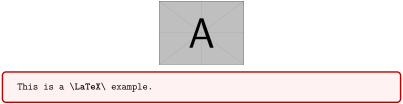
\begin{tcblisting}{colback=red!5!white,colframe=red!75!black,comment above listing,

  center lower,image comment={width=3cm}{example-image-a.pdf}}

This is a \LaTeX\ example.

\end{tcblisting}
/tcb/comment above* listing(no value)New: 2014-11-07
Widely equal to /tcb/comment above listing, but the outside comment is not formatted with the lower part options. Also, it is not put into a minipage and it may span several pages. The distance between box and comment is controlled by /tcb/before.
17.9 Option Keys for Processing and Full Document Examples
A complete LaTeX document including \documentclass, \begin{document} and \end{document} cannot be processed directly by tcolorbox. It always has to be compiled separately. There are two methods supported by the package to process and display such a full document example:
Prepare and compile the example document independent from your main document. The source file and the resulting PDF file can be included into the main document afterwards. This is the most economic way since the example document can be left untouched after the example is complete.
The other possibility is to compile the example on the fly while the main document is compiled. This way has some charm, because the example can be edited inside the main document. But be aware that the compilation of the example is issued on every run of the main document. Also, there are fewer degrees of freedom how the example is compiled.
For both methods, the resulting example PDF file can be included as a /tcb/pdf comment.
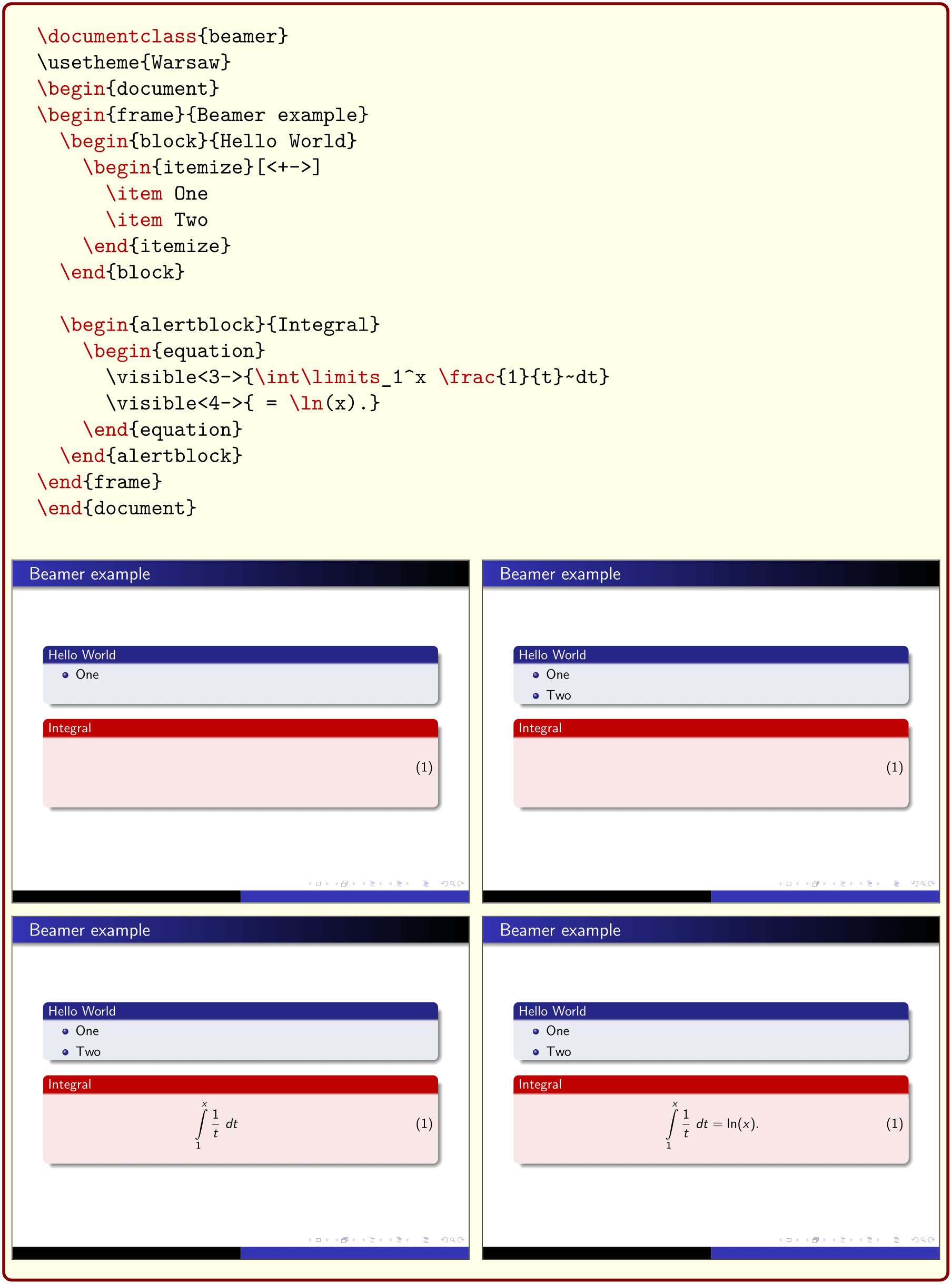
The following example shows how to apply the first method. There already is a file tcolorbox-example.tex and a PDF file tcolorbox-example.pdf. Both of them are input partly by the following:
% \tcbuselibrary{breakable,skins,raster}

\tcbinputlisting{

  enhanced jigsaw,breakable,pad at break*=2mm,height fixed for=first and middle,

  lower separated=false,

  leftlower=0pt,rightlower=0pt,middle=0pt,

  colframe=red!50!black,colback=yellow!10!white,

  listing and comment,

  listing file={tcolorbox-example},

  listing options=

    {style=tcblatex,texcsstyle=*\color{red!70!black},firstline=20,lastline=85},

  after upper={\par\bigskip\texttt{\ldots}\par},

  pdf comment,

  comment style={drop lifted shadow,graphics pages={1,...,4}},

}
/tcb/no process(no default)New: 2014-11-14
Removes all processing commands if set before.
/tcb/process code=⟨code⟩(no default, initially empty)New: 2014-11-14
Adds ⟨code⟩ which is executed during \tcbinputlisting and tcblisting. At the time of executing the given ⟨code⟩, the listing is already written to /tcb/listing file, but the colored box is not constructed yet. Its intended use is to process the listing somehow before displaying. The processing result can be used inside a /tcb/comment. Several /tcb/process code options can be given which are processed in the given order. Typically, ⟨code⟩ is added by using the following styles /tcb/run system command, /tcb/run pdflatex, etc.
To use the further options, the compiler has to be called with the -shell-escape permission to authorize potentially dangerous system calls. Be warned that this is a security risk. Anyway, it’s more economic to compile examples independent from the main document and to include them as shown in the previous pages.
/tcb/run system command=⟨system command⟩(style, no default, initially unset)New: 2014-11-14
Runs a ⟨system command⟩, if the document is compiled with the -shell-escape permission. The current listing file can be accessed as \filename@area\filename@base\filename@ext. This ⟨system command⟩ is added to /tcb/process code.
/tcb/compilable listing(style, no default)New: 2014-11-14Updated: 2016-05-27
Sets /tcb/listing file to \jobname-listing-⟨counter⟩.
The default /tcb/listing file setting cannot be used to compile a listing, since the base name equals the \jobname and the included PDF files should be unique. Therefore, to use /tcb/run pdflatex etc., the /tcb/listing file has to be set to a unique value. One may use /tcb/compilable listing for this purpose.
/tcb/run pdflatex=⟨arguments⟩(style, no default, initially unset)New: 2014-11-14
The main document has to be compiled with the -shell-escape permission.
The /tcb/listing file has to be unique for the listing.
If the listing has to be compiled twice, add run pdflatex two times to the option list.
Issues a pdflatex compilation of the listing with the given ⟨arguments⟩.
\begin{tcblisting}{enhanced jigsaw,lower separated=false,

  leftlower=0pt,rightlower=0pt,

  colframe=red!50!black,colback=yellow!10!white,

  listing options={style=tcblatex,texcsstyle=*\color{red!70!black}},

  listing and comment,

  pdf comment,freeze pdf,

  compilable listing,

  run pdflatex

}

\documentclass{beamer}

\usetheme{Warsaw}

\begin{document}

\begin{frame}{Beamer example}

  \begin{block}{Hello World}

    \begin{itemize}[<+->]

      \item One

      \item Two

    \end{itemize}

  \end{block}


  \begin{alertblock}{Integral}

    \begin{equation}

      \visible<3->{\int\limits_1^x \frac{1}{t}~dt}

      \visible<4->{ = \ln(x).}

    \end{equation}

  \end{alertblock}

\end{frame}

\end{document}

\end{tcblisting}
/tcb/run pdflatex-dev=⟨arguments⟩(style, no default, initially unset)New: 2025-05-20
Issues a pdflatex-dev compilation of the listing with the given ⟨arguments⟩.
/tcb/run xelatex=⟨arguments⟩(style, no default, initially unset)New: 2014-11-14
Issues a xelatex compilation of the listing with the given ⟨arguments⟩.
/tcb/run xelatex-dev=⟨arguments⟩(style, no default, initially unset)New: 2025-05-20
Issues a xelatex-dev compilation of the listing with the given ⟨arguments⟩.
/tcb/run lualatex=⟨arguments⟩(style, no default, initially unset)New: 2014-11-14
Issues a lualatex compilation of the listing with the given ⟨arguments⟩.
/tcb/run lualatex-dev=⟨arguments⟩(style, no default, initially unset)New: 2025-05-20
Issues a lualatex-dev compilation of the listing with the given ⟨arguments⟩.
/tcb/run latex=⟨arguments⟩(style, no default, initially unset)New: 2014-11-14
Issues a latex compilation of the listing with the given ⟨arguments⟩.
/tcb/run latex-dev=⟨arguments⟩(style, no default, initially unset)New: 2025-05-20
Issues a latex-dev compilation of the listing with the given ⟨arguments⟩.
/tcb/run ps2pdf=⟨arguments⟩(style, no default, initially unset)New: 2014-11-14
Issues a ps2pdf compilation of the listing with the given ⟨arguments⟩.
\begin{tcblisting}{enhanced jigsaw,

  title={PSTricks with pdflatex},fonttitle=\bfseries,

  colframe=red!50!black,colback=yellow!10!white,

  listing options={style=tcblatex,texcsstyle=*\color{red!70!black}},

  lower separated=false,middle=0pt,

  listing side comment,righthand width=4cm,

  compilable listing,

  run latex,run dvips,run ps2pdf,

  pdf comment,freeze pdf,

  comment style={raster columns=1,

    graphics options={viewport=0.5in 7.7in 3.5in 10.5in,clip}},

}

\documentclass{article}

\usepackage{pstricks,multido}

\begin{document}

\psset{unit=3}%

\multido{\nHue=0.01+0.01}{100}{%

\definecolor{MyColor}{hsb}{\nHue,1,1}%

\pscircle[linewidth=0.01,linecolor=MyColor]{\nHue}}

\end{document}

\end{tcblisting}
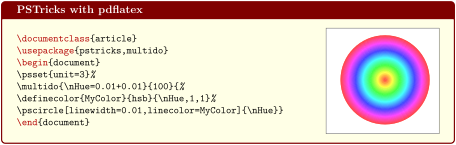
For most applications, you will like to add /tcb/freeze pdf as option, since the included pdf file is only refreshed, if the source for this file has changed.
/tcb/freeze file=⟨file⟩(no default, initially unset)New: 2016-07-14
Observes some ⟨file⟩, usually the final file produced by /tcb/process code, /tcb/run system command, /tcb/run pdflatex, etc. If the MD5 checksum of the current /tcb/listing file is unchanged and ⟨file⟩ exists, the processing is skipped and the ⟨file⟩ is kept (frozen). Typically, the style /tcb/freeze pdf can be used for convenience.
/tcb/freeze none(no default, initially set)New: 2016-07-14
Freeze no file and always execute the given process commands.
/tcb/freeze extension=⟨text⟩(style, no default)New: 2016-07-14
Calls /tcb/freeze file with the current /tcb/listing file stripped with its extension plus ⟨text⟩ as new extension.
  ...

  listing file=myfile.tex,

  freeze extension=-modified.pdf,    % ->   myfile-modified.pdf   is observed

  ...
/tcb/freeze pdf(no value)New: 2016-07-14
Calls /tcb/freeze file with the current /tcb/listing file stripped with its extension plus .pdf as new extension.
/tcb/freeze png(no value)New: 2016-07-14
Calls /tcb/freeze file with the current /tcb/listing file stripped with its extension plus .png as new extension. See the examples for /tcb/run pdflatex and /tcb/run ps2pdf.
/tcb/freeze jpg(no value)New: 2016-07-14
Calls /tcb/freeze file with the current /tcb/listing file stripped with its extension plus .jpg as new extension.
17.10 Creation of LaTeX Tutorials
The following source code gives a guideline for the creation of LaTeX tutorials. In the next section, a framework for LaTeX exercises is described. All examples shall be numbered optionally.
Firstly, some additional tcb keys are defined for the appearance. For the examples, three environments texexp, texexptitled, and texexptitledspec are defined with automatic numbering.
texexp is used for untitled examples,
texexptitled is used for titled examples,
texexptitledspec is used for titled examples with special treatment.
\tcbset{

  texexp/.style={colframe=red!50!yellow!50!black, colback=red!50!yellow!5!white,

      coltitle=red!50!yellow!3!white,

      fonttitle=\small\sffamily\bfseries, fontupper=\small, fontlower=\small},

  example/.style 2 args={texexp,

      title={Example \thetcbcounter: #1},label={#2}},

}


\newtcblisting{texexp}[1]{texexp,#1}

\newtcblisting[auto counter,counter within=section]{texexptitled}[3][]{%

  example={#2}{#3},#1}

\newtcolorbox[use counter from=texexptitled]{texexptitledspec}[3][]{%

  example={#2}{#3},#1}

\begin{tcblisting}{texexp}

This is a \LaTeX\ example which displays the text as source code

and in compiled form.

\end{tcblisting}

\begin{texexptitled}{First example with a title line}{firstExample}

Here, we use Example \ref{firstExample} with a title line.

\end{texexptitled}

\begin{texexp}{}

This is a \LaTeX\ example which displays the text as source code

and in compiled form.

\end{texexp}

\begin{texexp}{text and listing}

This is a \LaTeX\ example which displays the text as source code

and in compiled form.

\end{texexp}

\begin{texexp}{listing only}

This is a \LaTeX\ example which displays the text as source code only.

\end{texexp}

\begin{texexp}{text only}

This is a \LaTeX\ example which displays the text in compiled form only.

\end{texexp}
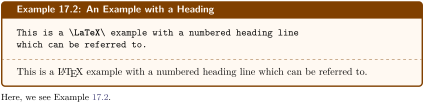
\begin{texexptitled}{An Example with a Heading}{heading1}

This is a \LaTeX\ example with a numbered heading line

which can be referred to.

\end{texexptitled}

Here, we see Example \ref{heading1}.

\begin{texexptitled}[listing only]{Another Example with a Heading}{heading2}

The keys can be used in combination. Here, an example with a heading line

and source code only is given.

\end{texexptitled}

Here, we see Example \ref{heading2}.
\begin{texexptitled}[float]{A floating Example with a Heading}{heading3}

This is another \LaTeX\ example with numbered heading line.

But now, the box is a floating object.

\end{texexptitled}


The floating box of the last example is seen as Example \ref{heading3}

on page \pageref{heading3}.
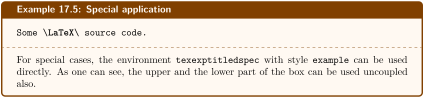
\begin{texexptitledspec}{Special application}{texexpbox1}

\begin{lstlisting}[style=tcblatex]

Some \LaTeX\ source code.

\end{lstlisting}

\tcblower

For special cases, the environment |texexptitledspec| with style

|example| can be used directly. As one can see, the upper and the lower

part of the box can be used uncoupled also.

\end{texexptitledspec}
The following series of examples demonstrate the application of tcolorbox options for diversification.
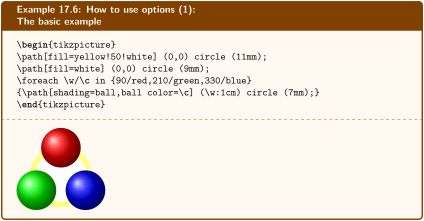
\begin{texexptitled}{How to use options (1):\par The basic example}{options1}

\begin{tikzpicture}

\path[fill=yellow!50!white] (0,0) circle (11mm);

\path[fill=white] (0,0) circle (9mm);

\foreach \w/\c in {90/red,210/green,330/blue}

{\path[shading=ball,ball color=\c] (\w:1cm) circle (7mm);}

\end{tikzpicture}

\end{texexptitled}
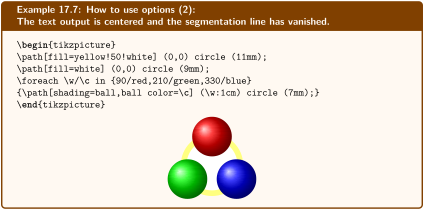
\begin{texexptitled}[center lower,enhanced,segmentation hidden,middle=0mm]

  {How to use options (2):\par The text output is centered and the

    segmentation line has vanished.}{options2}

\begin{tikzpicture}

\path[fill=yellow!50!white] (0,0) circle (11mm);

\path[fill=white] (0,0) circle (9mm);

\foreach \w/\c in {90/red,210/green,330/blue}

{\path[shading=ball,ball color=\c] (\w:1cm) circle (7mm);}

\end{tikzpicture}

\end{texexptitled}
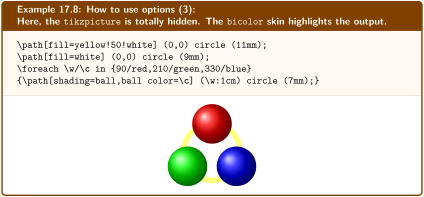
\begin{texexptitled}[tikz lower,bicolor,colbacklower=white]

  {How to use options (3):\par Here, the |tikzpicture| is totally hidden.

    The |bicolor| skin highlights the output.}{options3}

\path[fill=yellow!50!white] (0,0) circle (11mm);

\path[fill=white] (0,0) circle (9mm);

\foreach \w/\c in {90/red,210/green,330/blue}

{\path[shading=ball,ball color=\c] (\w:1cm) circle (7mm);}

\end{texexptitled}
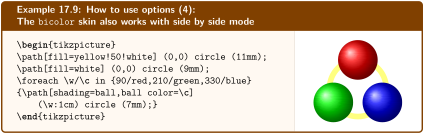
\begin{texexptitled}[center lower,listing side text,righthand width=3.5cm,

  bicolor,colbacklower=white]

  {How to use options (4):\par The |bicolor| skin also works with side

   by side mode}{options4}

\begin{tikzpicture}

\path[fill=yellow!50!white] (0,0) circle (11mm);

\path[fill=white] (0,0) circle (9mm);

\foreach \w/\c in {90/red,210/green,330/blue}

{\path[shading=ball,ball color=\c]

    (\w:1cm) circle (7mm);}

\end{tikzpicture}

\end{texexptitled}
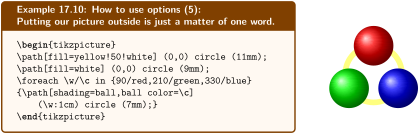
\begin{texexptitled}[center lower,listing outside text,righthand width=3.5cm]

  {How to use options (5):\par Putting our picture outside is just

    a matter of one word.}{options5}

\begin{tikzpicture}

\path[fill=yellow!50!white] (0,0) circle (11mm);

\path[fill=white] (0,0) circle (9mm);

\foreach \w/\c in {90/red,210/green,330/blue}

{\path[shading=ball,ball color=\c]

    (\w:1cm) circle (7mm);}

\end{tikzpicture}

\end{texexptitled}
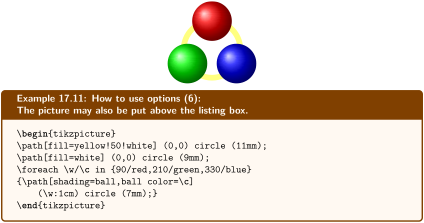
\begin{texexptitled}[center lower,text above listing]

  {How to use options (6):\par The picture may also be put above

    the listing box.}{options6}

\begin{tikzpicture}

\path[fill=yellow!50!white] (0,0) circle (11mm);

\path[fill=white] (0,0) circle (9mm);

\foreach \w/\c in {90/red,210/green,330/blue}

{\path[shading=ball,ball color=\c]

    (\w:1cm) circle (7mm);}

\end{tikzpicture}

\end{texexptitled}
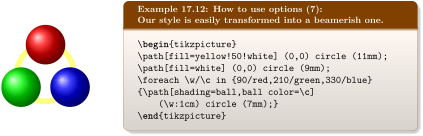
\begin{texexptitled}[beamer,center lower,text outside listing,lefthand width=3.5cm]

  {How to use options (7):\par Our style is easily transformed into

    a beamerish one.}{options7}

\begin{tikzpicture}

\path[fill=yellow!50!white] (0,0) circle (11mm);

\path[fill=white] (0,0) circle (9mm);

\foreach \w/\c in {90/red,210/green,330/blue}

{\path[shading=ball,ball color=\c]

    (\w:1cm) circle (7mm);}

\end{tikzpicture}

\end{texexptitled}
17.11 Creation of LaTeX Exercises
In the following, a guideline is given for the creation of LaTeX exercises with solutions. These solutions are saved to disk for application at a place of choice. Therefore, all used exercises are logged to a file \jobname.records for automatic processing. The solution contents themselves are saved to a subdirectory named solutions. Also see Section 8.
Before the first exercise is given, \tcbstartrecording has to be called to start recording.
The solution is given as content of a tcboutputlisting environment. Note, that you can use this content also inside the exercise with \tcbuselistingtext in compiled form.
After the last exercise is given (and before using the solutions), \tcbstoprecording has to be called to stop recording.
The solutions are loaded by \tcbinputrecords.
Inside the exercise text, there may be text parts which are needed as LaTeX source code and as compiled text as well. These parts can be saved by tcbwritetemp and used in compiled form by \tcbusetemp or as source code by \tcbusetemplisting.
At first, we generate some a common style for the exercises and the solutions. Further, since exercises and solutions should be numbered, we force to use a label ⟨marker⟩. Automatically, the label exe:⟨marker⟩ is used to mark the exercise and the label sol:⟨marker⟩ is used to mark the solution.
With these preparations, the kernel environment texercise for our exercises is created quickly:
\newtcolorbox[auto counter,counter within=section,list inside=exam]{texercise}[2][]{%

  texercisestyle,

  listing file={solutions/texercise\thetcbcounter.tex},

  label={exe:#2},

  record={\string\processsol{solutions/texercise\thetcbcounter.tex}{#2}},

  title={Exercise \thetcbcounter\hfill\mdseries Solution on page \pageref{sol:#2}},

  list text={Exercise with solution on page \pageref{sol:#2}},#1}
The following examples demonstrate the application.
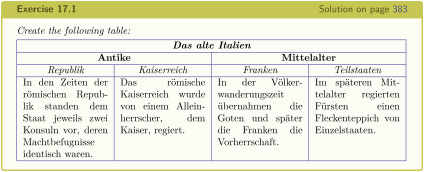
\begin{texercise}{tabular_example}

\textit{Create the following table:}\par\smallskip%

\begin{tcboutputlisting}

\begin{tabular}{|p{3cm}|p{3cm}|p{3cm}|p{3cm}|}\hline

\multicolumn{4}{|c|}{\bfseries\itshape Das alte Italien}\\\hline

\multicolumn{2}{|c|}{\bfseries Antike} &

\multicolumn{2}{c|}{\bfseries Mittelalter}\\\hline

\multicolumn{1}{|c|}{\itshape Republik}&

\multicolumn{1}{c|}{\itshape Kaiserreich}&

\multicolumn{1}{c|}{\itshape Franken}&

\multicolumn{1}{c|}{\itshape Teilstaaten}\\\hline

In den Zeiten der r\"{o}mischen Republik standen dem Staat jeweils zwei

Konsuln vor, deren Machtbefugnisse identisch waren. &

Das r\"{o}mische Kaiserreich wurde von einem Alleinherrscher, dem Kaiser,

regiert.

& In der V\"{o}lkerwanderungszeit \"{u}bernahmen die Goten und sp\"{a}ter die

Franken die Vorherrschaft.

& Im sp\"{a}teren Mittelalter regierten F\"{u}rsten einen Fleckenteppich

von Einzelstaaten.\\\hline

\end{tabular}

\end{tcboutputlisting}

\tcbuselistingtext%

\end{texercise}

\begin{texercise}{macro_oneparam}

\begin{tcboutputlisting}

\newcommand{\headingline}[1]{%

  \begin{center}\Large\bfseries #1\end{center}}

\end{tcboutputlisting}

\tcbuselistingtext%


Create a new macro \verb+\headingline+ which produces the

following output:\par\smallskip

\begin{tcbwritetemp}

\headingline{Very important heading}

\end{tcbwritetemp}

\tcbusetemplisting\tcbusetemp%

\end{texercise}
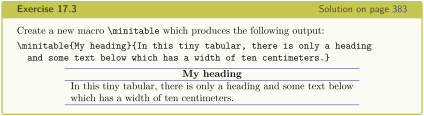
\begin{texercise}{macro_twoparam}

\begin{tcboutputlisting}

\newcommand{\minitable}[2]{%

  \begin{center}\begin{tabular}{p{10cm}}\hline%

  \multicolumn{1}{c}{\bfseries#1}\\\hline%

  #2\\\hline%

  \end{tabular}\end{center}}

\end{tcboutputlisting}

\tcbuselistingtext%

Create a new macro \verb+\minitable+ which produces the

following output:\par\smallskip

\begin{tcbwritetemp}

\minitable{My heading}{In this tiny tabular, there is only a heading

  and some text below which has a width of ten centimeters.}

\end{tcbwritetemp}

\tcbusetemplisting\par\smallskip\tcbusetemp%

\end{texercise}
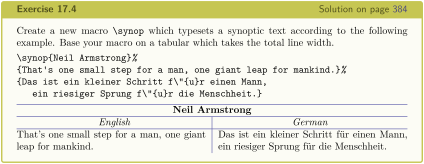
\begin{texercise}{macro_threeparam}

\begin{tcboutputlisting}

\newcommand{\synop}[3]{%

  \begin{tabular}{@{}p{(\linewidth-\tabcolsep*2-\arrayrulewidth)/2}|%

    p{(\linewidth-\tabcolsep*2-\arrayrulewidth)/2}@{}}\hline

  \multicolumn{2}{c}{\bfseries #1}\\\hline

  \multicolumn{1}{c|}{\itshape English}&

  \multicolumn{1}{c}{\itshape German}\\\hline

  #2 & #3

  \end{tabular}}

\end{tcboutputlisting}

\tcbuselistingtext%

Create a new macro \verb+\synop+ which typesets a synoptic text according

to the following example. Base your macro on a tabular which takes the

total line width.\par\smallskip

\begin{tcbwritetemp}

\synop{Neil Armstrong}%

{That's one small step for a man, one giant leap for mankind.}%

{Das ist ein kleiner Schritt f\"{u}r einen Mann,

   ein riesiger Sprung f\"{u}r die Menschheit.}

\end{tcbwritetemp}

\tcbusetemplisting\par\smallskip\tcbusetemp%

\end{texercise}
Now, we give a list of all exercises with:
\tcblistof[\subsection]{exam}{List of Exercises%

  \label{listofexercises}}
17.12 Solutions for the given LaTeX Exercises
For all solutions, a macro \processsol was written to the file \jobname.records. Now, we need a definition for this macro to use the solutions.
% \usepackage{hyperref} % for phantomlabel

\newtcbinputlisting{\processsol}[2]{%

  texercisestyle,

  listing only,

  listing file={#1},

  phantomlabel={sol:#2},%

  title={Solution for Exercise \ref{exe:#2} on page \pageref{exe:#2}},

}
The loading of all solutions is done by:
With this, we get: